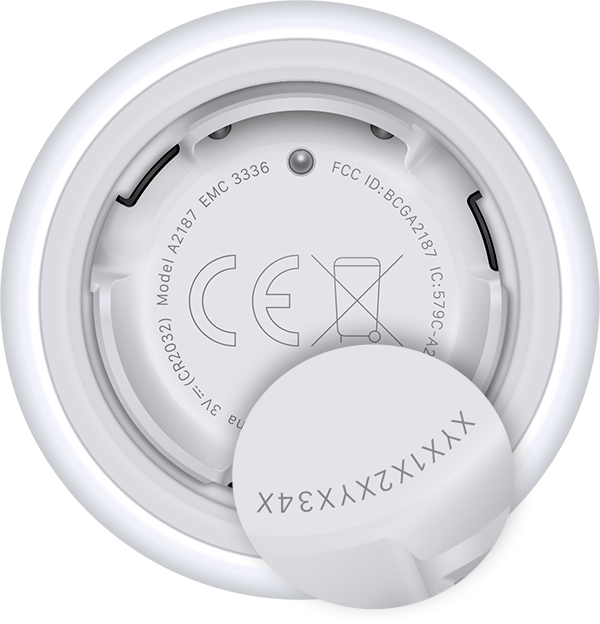
AirTag Serial Number Identification
Under the Battery
- Press down on the polished stainless steel battery cover of your AirTag and rotate counterclockwise until the cover stops rotating.
- Remove the cover and battery.
- You'll find the serial number printed inside the AirTag.
- Replace the battery with the positive side facing up. When you hear a sound, you know the battery is connected.
- Replace the cover by aligning its three tabs with the three slots on the AirTag.
- Press down on the cover.
- Rotate the cover clockwise until it stops rotating.